
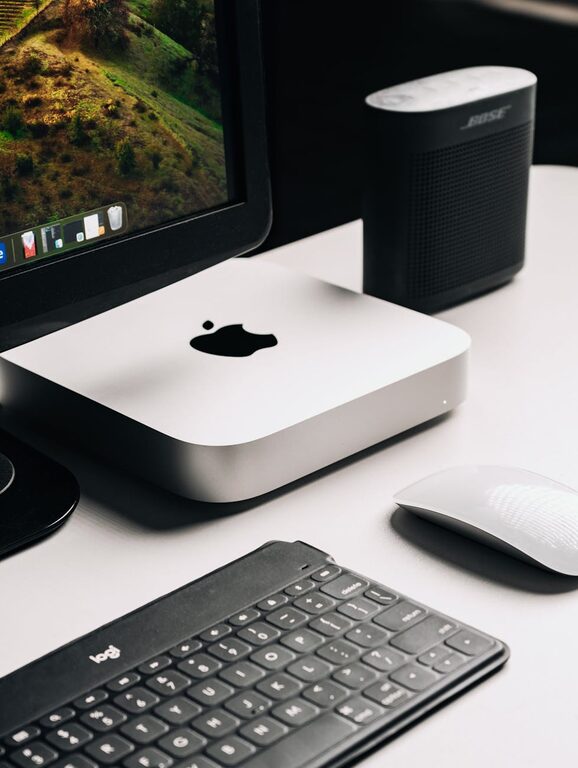
In today’s connected world, our digital spaces can become just as cluttered as our physical environments. Files pile up, emails accumulate, and countless apps and tabs compete for our attention. This digital clutter can lead to stress, reduced productivity, and difficulty finding what you really need. Fortunately, decluttering your digital life is possible—and it can bring a refreshing sense of calm and control.
In this post, we’ll explore practical steps and tips to help you organize your digital world, making your devices and online activity more streamlined and enjoyable.
Why Declutter Your Digital Life?
Before diving in, it’s helpful to understand why digital decluttering matters:
– Reduces stress: A tidy digital workspace is calming and less overwhelming.
– Boosts productivity: When files and emails are organized, you spend less time searching.
– Improves device performance: Excess data can slow down devices.
– Enhances security: Removing unused apps and old files helps reduce vulnerabilities.
With these benefits in mind, let’s look at how to begin.
Step 1: Clean Up Your Files and Folders
Files accumulate quickly, from downloads and documents to photos and videos. Organizing and deleting unnecessary files is a foundational step.
Tips for File Cleanup
– Delete duplicates: Use software tools or manual checks to remove repeated files.
– Organize folders: Group files into clear, labeled folders (e.g., Work, Personal, Photos).
– Archive old files: Move infrequently used but important files to an external hard drive or cloud storage.
– Set a naming system: Use consistent names and dates for easy searching (e.g., “Project_Report_2024”).
Step 2: Simplify Your Email Inbox
Email is a common source of digital clutter. Tackling your inbox regularly keeps it manageable.
How to Declutter Email
– Unsubscribe: Remove yourself from newsletters and lists you no longer read.
– Create folders and labels: Sort emails by topic, sender, or priority.
– Delete or archive: Get rid of junk and archive older emails that might be useful later.
– Use filters: Automate sorting incoming mail to relevant folders.
Step 3: Organize Your Desktop and Apps
A cluttered desktop or too many apps can distract and slow down your workflow.
Tips for Desktop and Apps
– Clear desktop icons: Keep only essential shortcuts and files on the desktop.
– Delete unused apps: Regularly review installed apps and remove ones you don’t need.
– Arrange apps: Group apps on your phone or computer by category or frequency of use.
– Update apps: Keep apps up to date to ensure smooth functioning and security.
Step 4: Manage Your Browser Tabs and Bookmarks
Browsers are often filled with countless tabs and bookmarks, which can cause confusion.
How to Manage Tabs and Bookmarks
– Close unnecessary tabs: Finish or bookmark pages and close them to maintain focus.
– Use tab managers: Many browsers offer tools to group or save tabs for later.
– Organize bookmarks: Create folders and delete bookmarks you no longer need.
– Sync across devices: Use browser sync features to keep bookmarks and settings consistent.
Step 5: Secure and Backup Your Digital Data
While decluttering, it’s important to protect your data and ensure backups are in place.
Backup and Security Tips
– Use cloud storage: Services like Google Drive or Dropbox provide automatic backup.
– Schedule regular backups: Set reminders to back up your device to external drives or online.
– Review privacy settings: Check app permissions and social media privacy settings.
– Use strong passwords: Utilize password managers to keep login information safe.
Step 6: Establish Regular Digital Maintenance Habits
Keeping your digital life organized takes ongoing effort.
Maintain Your Digital Space
– Set a cleanup schedule: Dedicate time weekly or monthly for digital tidying.
– Limit digital distractions: Uninstall apps or disable notifications that don’t add value.
– Practice mindful downloading: Only save files and apps you truly need.
Final Thoughts
Decluttering your digital life doesn’t have to be overwhelming. By tackling one area at a time and maintaining regular habits, you can create a more organized, efficient, and peaceful digital environment. The benefits will ripple into better focus, less stress, and more time for what truly matters.
Give your devices a fresh start today—you might be surprised how liberating it feels!
