
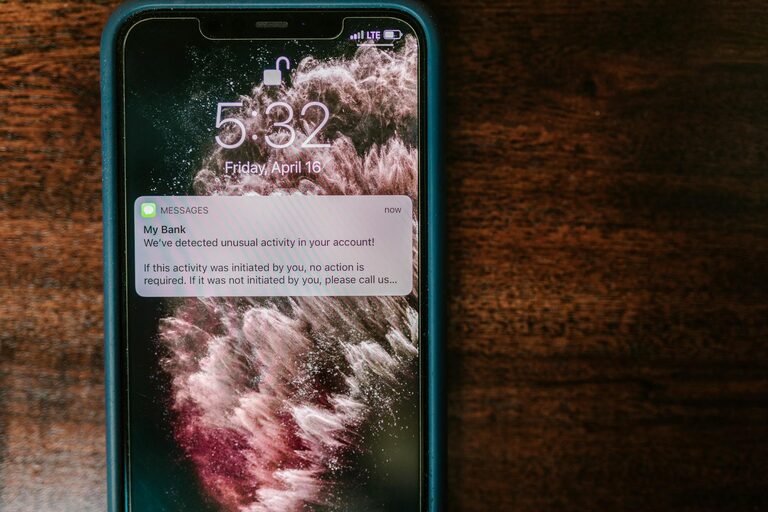
In our digitally connected world, notifications are a constant presence. They remind us of new messages, social media updates, emails, calendar events, and more. While notifications can be useful, they often interrupt our focus, increase stress, and make it harder to concentrate. Setting clear boundaries with notifications can help you take control of your time and attention, improving your productivity and overall wellbeing.
In this post, we’ll explore practical tips to manage notifications effectively and create a healthy digital environment.
Why Managing Notifications Matters
Notifications are designed to capture your attention, often through sound, vibration, or visual cues. While staying informed is important, unchecked notifications can:
– Cause frequent distractions and interruptions
– Lead to information overload and anxiety
– Reduce the quality of work or conversations
– Interfere with relaxation and sleep
By setting boundaries, you decide when and how to engage with your devices instead of letting them control you.
Assess Your Current Notification Habits
Before making changes, it helps to understand how your notifications currently affect you. Try these steps:
– Take note of how many notifications you receive daily.
– Identify apps or services that send the most alerts.
– Reflect on how often you check your device after a notification.
– Notice if you feel stressed, overwhelmed, or unfocused due to notifications.
This awareness gives you a starting point to make targeted adjustments.
Practical Tips for Setting Notification Boundaries
1. Audit Your Notifications
Go through your phone, tablet, or computer notification settings:
– Disable non-essential notifications from apps that don’t require immediate attention.
– Prioritize alerts from important contacts and work-related apps.
– Turn off notifications for social media, games, or promotional offers unless you actively want them.
Many devices allow granular control, where you can choose to receive notifications silently or only as badges without sound or banners.
2. Use Do Not Disturb and Focus Modes
Most phones and computers offer modes to limit distractions:
– Schedule Do Not Disturb during focused work periods, meetings, or sleep hours.
– Use Focus or Priority modes to allow calls or messages from specific people only.
– Customize these modes based on your routine to minimize interruptions.
These modes help create blocks of uninterrupted time to concentrate or rest.
3. Batch Check Your Notifications
Instead of responding to alerts immediately:
– Set specific times during the day to review messages and updates, such as mid-morning, after lunch, and early evening.
– Turn off automatic preview or banners that demand instant attention.
– Resist the urge to “check just one” and set a timer to limit your browsing or replying duration.
Batch processing helps reduce multitasking and improves efficiency.
4. Customize Notification Sounds and Visuals
Some notifications can be less intrusive with simple tweaks:
– Assign different tones to important contacts so you can identify alerts without looking.
– Use silent or vibration-only notifications for less urgent apps.
– Disable lock screen previews to reduce temptation to check your device often.
Subtle cues keep you informed without overwhelming your senses.
5. Manage Email Notifications Separately
Emails often generate many alerts, so control them carefully:
– Turn off push notifications for email, and set times to check your inbox.
– Use filters or VIP lists to only get notified for high-priority senders.
– Unsubscribe from unnecessary mailing lists to reduce incoming mail volume.
Setting limits on email interruptions frees up focus and reduces stress.
6. Communicate Your Boundaries to Others
Let friends, family, and colleagues know when you prefer limited interruptions:
– Share your preferred communication times or methods.
– Use status indicators (like away or busy) in messaging apps.
– Encourage others to use non-urgent channels, like email, rather than instant messages or calls during focused hours.
Clear expectations help reduce guilt about silencing notifications.
7. Create Device-Free Zones and Times
Designate specific places or periods for no-device use:
– Avoid phones during meals, family time, or before bedtime.
– Keep devices out of the bedroom for better sleep hygiene.
– Use apps or settings that restrict screen time after hours.
Disconnecting regularly supports mental rest and stronger personal connections.
Benefits of Setting Notification Boundaries
With consistent implementation, you’ll likely notice:
– Increased ability to concentrate on tasks without frequent disruption
– Improved time management and productivity
– Lower stress and anxiety related to digital overload
– Enhanced quality of sleep and relaxation
– More meaningful interactions with others when present without distraction
Final Thoughts
Managing notifications might feel challenging at first but becoming intentional about which alerts deserve your attention is a small change with big rewards. By auditing your notifications, using focus tools, batching your checks, and communicating boundaries, you regain control over your digital habits. Remember, technology is here to serve you—not the other way around.
Start today by making one or two small changes and build a notification routine that supports your goals, wellbeing, and peace of mind. Your focus and happiness will thank you!
—
If you enjoyed these tips, consider sharing this post with friends or leaving a comment with your own notification management strategies. Happy focusing!
